Zoho Workplace
Enterprise email and collaboration suite. Made in India.
Zoho Workplace is a beautiful new home that elevates your team's productivity
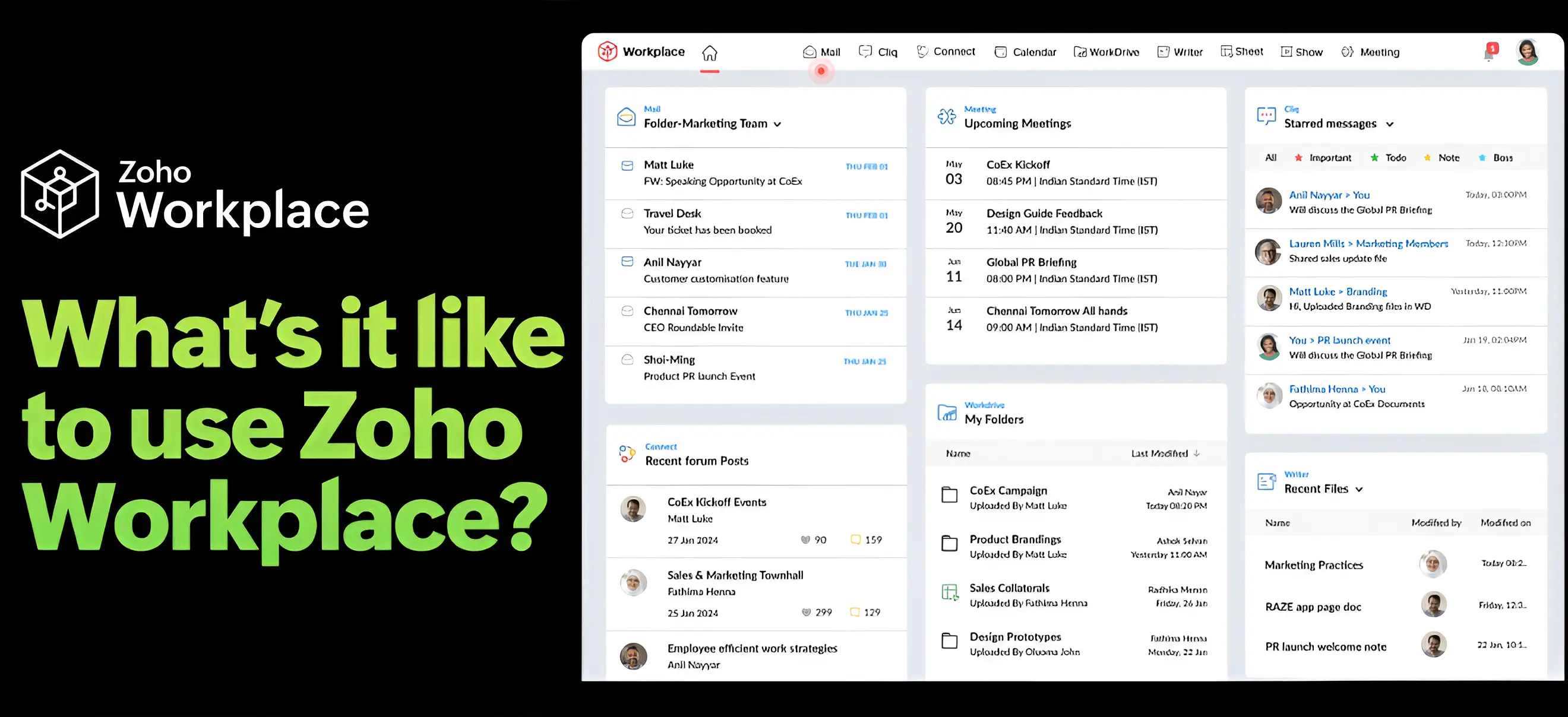
Interactive Demo
Zoho Workplace Demo
Unified Communication
Bring home flexibility.
WFO or WFH—make work accommodating using enterprise email, conferencing, calling, voice, and team messaging tools for everyone to connect with each other, on any device.
Unified Collaboration
Bring home collaboration.
Give everyone a single space to create, share, and manage files, tasks, and calendars. Our collaborative document, spreadsheet, and presentation apps make co-creation easy.
Employee Engagement
Bring home happiness.
Bring your entire company together with live town halls , company forums, live events , and more. Turn successes into career-defining milestones with peer-recognition tools.
Digital Workplace
A private, secure cloud.
Award-winning spam control. Built-in SSO, Directory, and MFA. Powerful password manager. All of Zoho Workplace’s capabilities live in a privacy-first, enterprise-grade Zoho infrastructure made and hosted in India.



Migrating is easy, really.
One-touch migration
Transfer mails, contacts, calendars, and notes easily from Microsoft 365 or Google Workspace using the built-in migration tool.
Split delivery
Part of your organization can move to Zoho first, while the rest stays with your current provider. Move everyone completely when you're comfortable.
Legacy to cloud
An IMAP migration is available to transfer data precisely from your current legacy server to Zoho Mail on the cloud.
Microsoft Office compatibility
All of our office editors are fully featured—designed to work with your existing Word, Excel, or PowerPoint files without any hassle.
Migration assistance
Learn from our extensive guides to do the migration yourselves. Contact our 24x7 support if you need a Zoho expert in India to do it for you.
Includes powerful mobile and desktop apps
Your entire office in a single place






Frequently Asked Questions
-
Yes, Zoho Mail, Zoho Calendar, Zoho Writer, Zoho Sheet, Zoho Cliq, Zoho Meeting, and Zoho WorkDrive (Sync) currently have macOS and Windows clients that come free with your Zoho Workplace subscriptions.
-
Yes, you can open and edit your existing Word, Powerpoint, and Excel files with Zoho's Office Suite. The Zoho editors are fully-featured and will handle the existing files like a breeze.
-
Some of Zoho's apps—like Zoho Mail, Zoho Writer, Zoho Show—will let you continue working without an active internet connection.
-
Yes. When you choose Split Delivery, emails to accounts setup with Zoho will be delivered to Zoho Mail, while others would be routed to your destination server.
-
Zoho Workplace takes security very seriously. We employ a multi-layered security approach to safeguard your data and privacy. Our platform implements robust encryption methods, secure data centers, and regular security audits to ensure the highest level of protection for your information. For detailed insights into our security measures, please visit our Zoho Workplace Security page for comprehensive information on our security protocols and practices.
-
We accept payment via MasterCard, Visa, American Express, JCB, and Discover. You can also pay via PayPal, Bank transfer for annual subscriptions. Please reach out to us at sales@ithink.co for any further details.
Set up your new
Workplace today!